
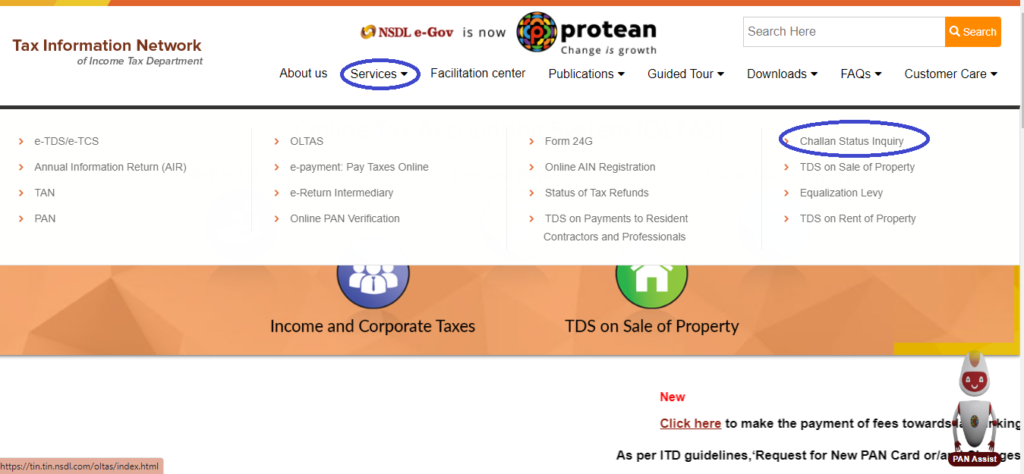
Step 1: Go to the website https://www.protean-tinpan.com/
Step 2: Click on “Challan Status Inquiry” under the ‘Services‘ tab.
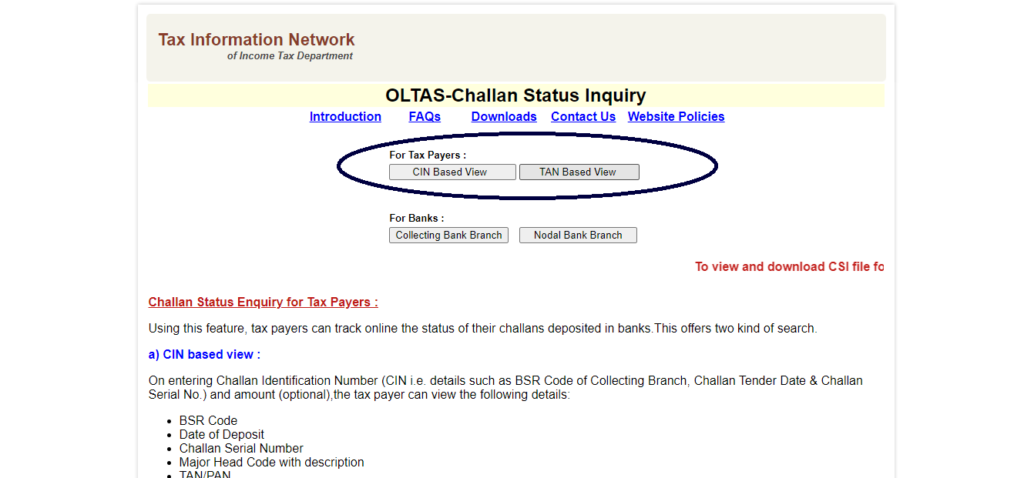
Step 3: We can view the challans either by providing the CIN number or the TAN number.
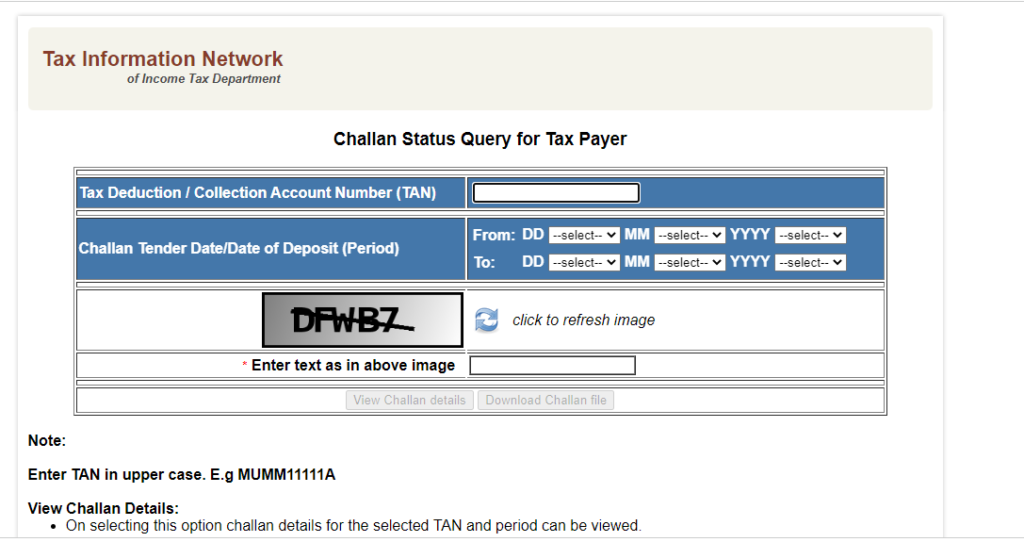
Step 4: In case of Tan Based View, fill in the details by entering the TAN number of the assessee and select the period for which you want to view the challans. Period selected should be within 24 months.
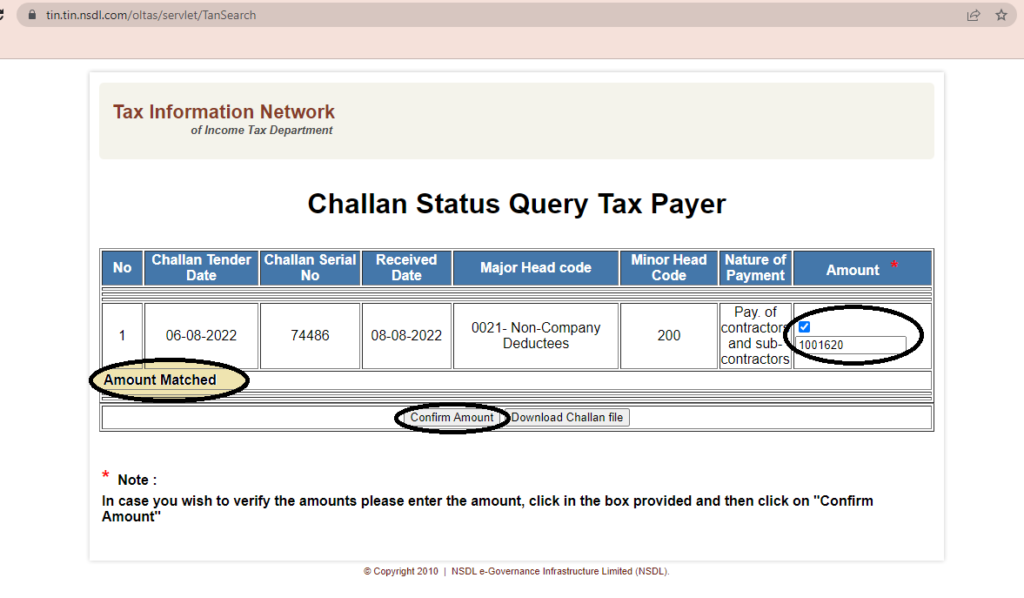
Step 5: We can view the challan details for the mentioned period as below.
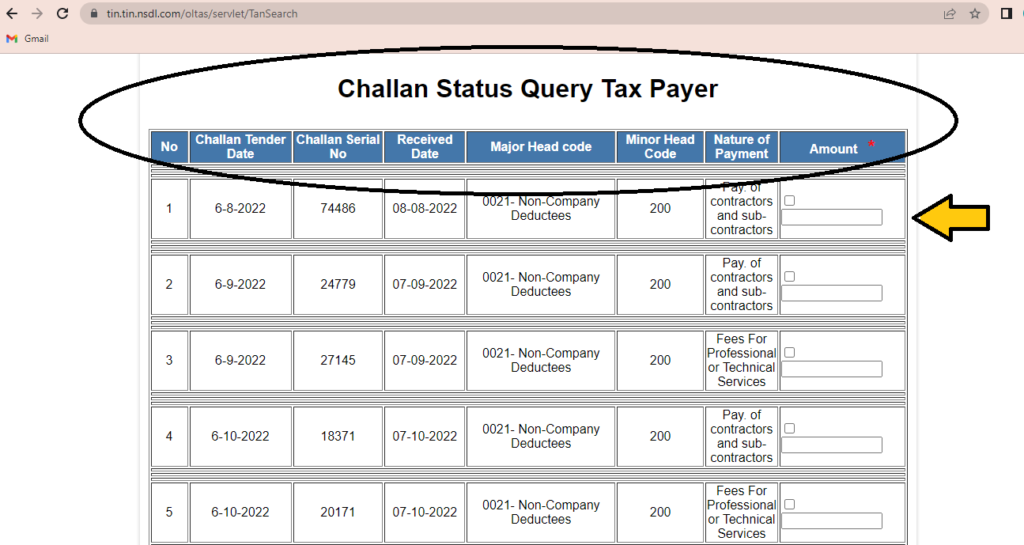
Under the given picture, the column for “Amount” has been given blank. we can enter the amount and ‘Confirm the Amount’. If the amount you have entered is correct, a text in bold would display as “Amount Matched” and vice versa.
In case you want download the challan file, click on “Download Challan File“.
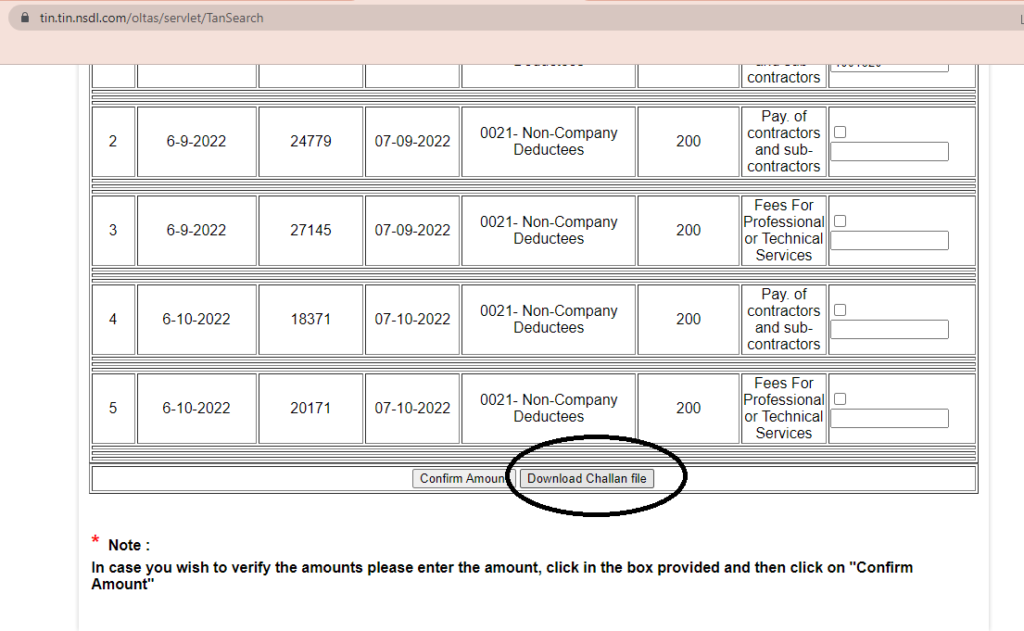
A ‘csi’ file would be created, you can use that csi file for verifying the challan details while filing TDS returns.


Tomasz Michalowski
This work has an almost meditative quality to it. Each sentence feels carefully considered, yet they flow so naturally that it feels effortless. The insights you’ve shared seem to carry the weight of experience, and there’s a gentleness to the way you present them, as though you are offering the reader a piece of wisdom that you’ve carefully cultivated over time.